
KPAX: Your print fleet, organised for you
KPAX is a cloud print fleet monitoring platform. It collects meter readings, toner and parts levels, alerts and status from devices of every brand, and turns that data into accurate billing, maintenance you can plan ahead, and reports your customers understand.
The Core KPAX platform
Every brand, one interface
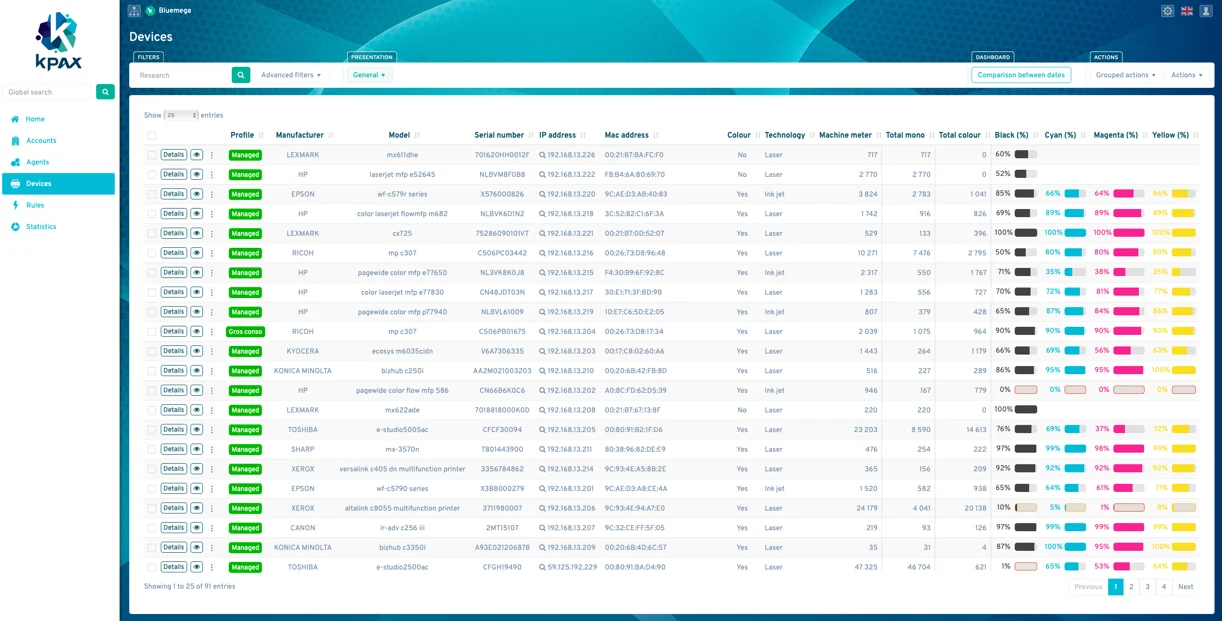
Monitors printers, MFPs, copiers, wide-format and label printers from every manufacturer. Collects data by SNMP, device web pages, web services and makers' own protocols.
Prediction that learns
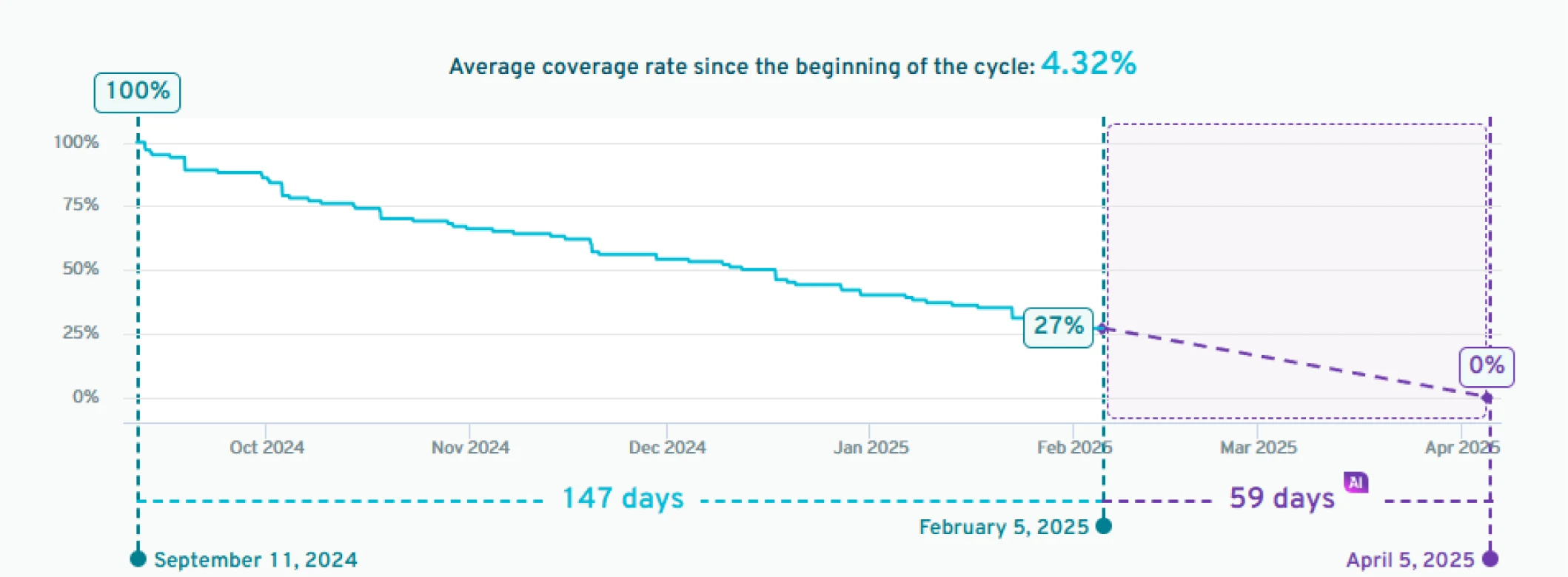
The prediction engine doesn't just read toner levels. It learns each device's usage profile to estimate a date when toner is required. This machine learning is at the core of the KPAX AI features. It covers every cartridge, including ones with few readings.
Pay for what you use (Koins)
Choose the service level for each device: meters, toner and parts, or alerts. Check your Koins consumption through the API.
Open API and MCP
A public REST API to connect ERP, CRM, billing and ticketing systems. MCP support, so AI agents can work directly with KPAX data.
Automation with rules
Each rule has a trigger, a condition and an action. For example: alert the supplies team when toner runs low, send a monthly volume report, or apply a label when a device goes into alert. Rules can be scoped to a dynamic group, so a factory and an office can each have their own alert thresholds.
Access by role
Each user's access is set module by module, and can be limited to an account or a dynamic group. Users can be allowed to create and edit rules without being able to delete them.
Reports for business reviews
Volume history, colour vs mono, top devices and the mix of devices by brand. Export to web, PDF or Excel.
Data collection via software agent or KPAX Liberty IoT box
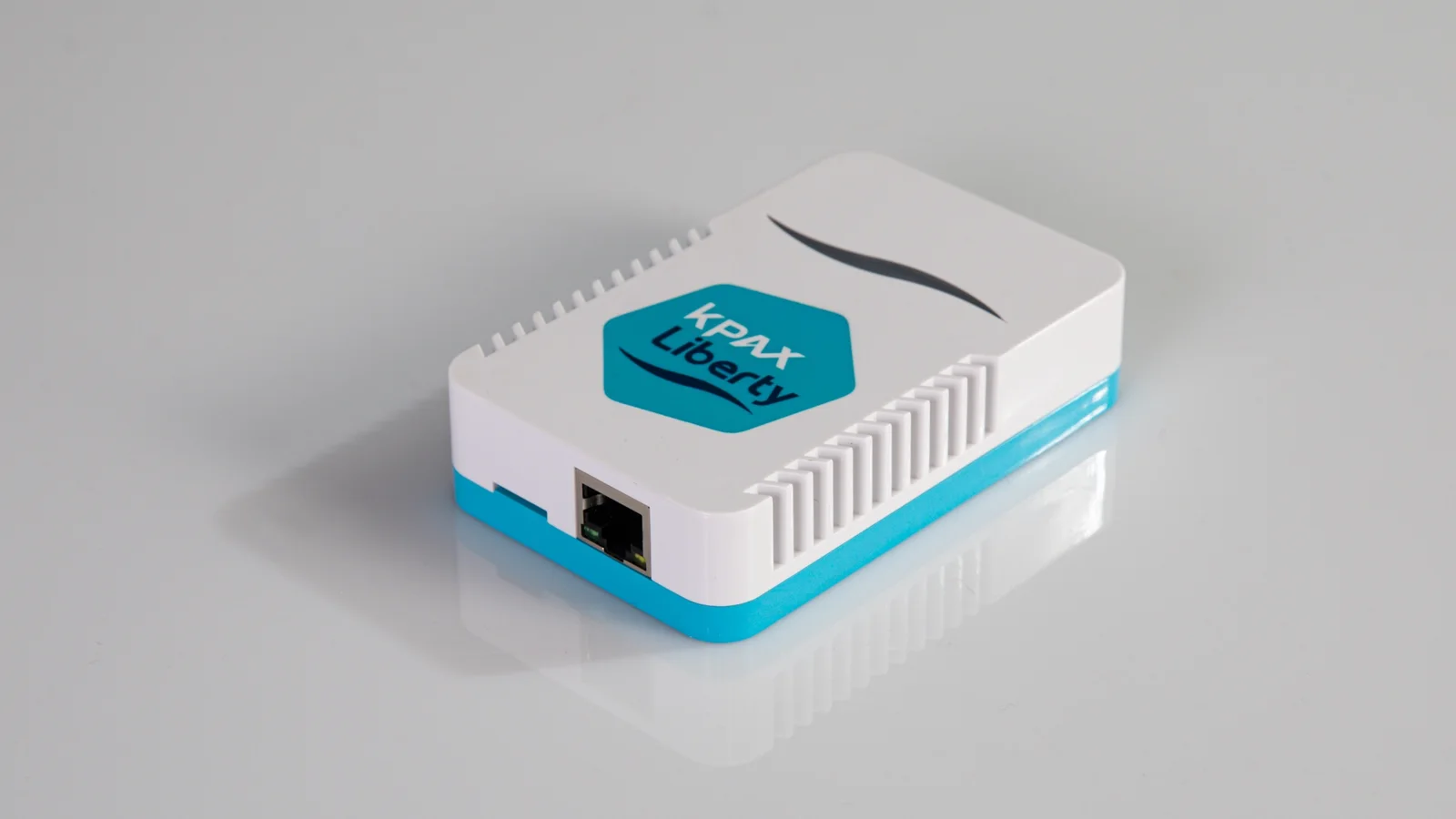
Install the KPAX software agent on a Windows PC within your network or use the plug-and-play KPAX Liberty IoT box.
KPAX Liberty IoT box
No operating system, so no virus risk.
Liberty runs firmware, so it needs no OS patching or antivirus.
Secure
AES 256-bit encryption, outbound connections only, and centrally managed updates.
Easy to set up
Configure it from a phone or tablet over Wi-Fi, or from any computer on the network. You can also set it up before the site visit.
One box per network, not per device.
Two Ethernet ports let it share the printer's network socket.
Field results: installs take half the time, the box stays connected twice as reliably, and resellers saw 88% fewer technician call-outs than with software agents.
What's new in KPAX 3.20
Dynamic groups
You define a group with a rule, such as an IP range, site, brand or model, instead of keeping a list. Devices join and leave the group automatically as the fleet changes. Groups can be nested to match the customer's structure (country › region › site). A group can also be a user's access scope, so a subcontractor or site manager sees only their own devices.
Labels
Tag each device with up to 20 free-text labels, such as contract, cost centre, project or technician zone. Apply them in bulk by import, or automatically with KQL, the KPAX query language. Labels work in views, rules, exports and the API.
Saved and shared filters
Build a complex search once, name it, and keep it private, share it with your team, or make it public. Favourites are one click away, and you can now filter by print volume.
Earlier toner prediction
KPAX gives an end-of-cartridge date from the second reading of the first cycle, once the level drops below 40%. Newly installed devices become predictable within days rather than weeks, so a toner goes out on a planned route instead of as an emergency delivery.
Taco Technologies is a KPAX Major Valuable Partner